Marketing
Send marketing email from your own domain
In this article
Email campaigns go out only from an address on a domain your business owns, such as hello@yourbusiness.com. You connect it once: enter the address, add four DNS records at your domain host, then let BizBaby verify them. Know this before you start: the new MX record sends all email for that domain to BizBaby, not to your current mailbox.
Why campaigns need your own domain
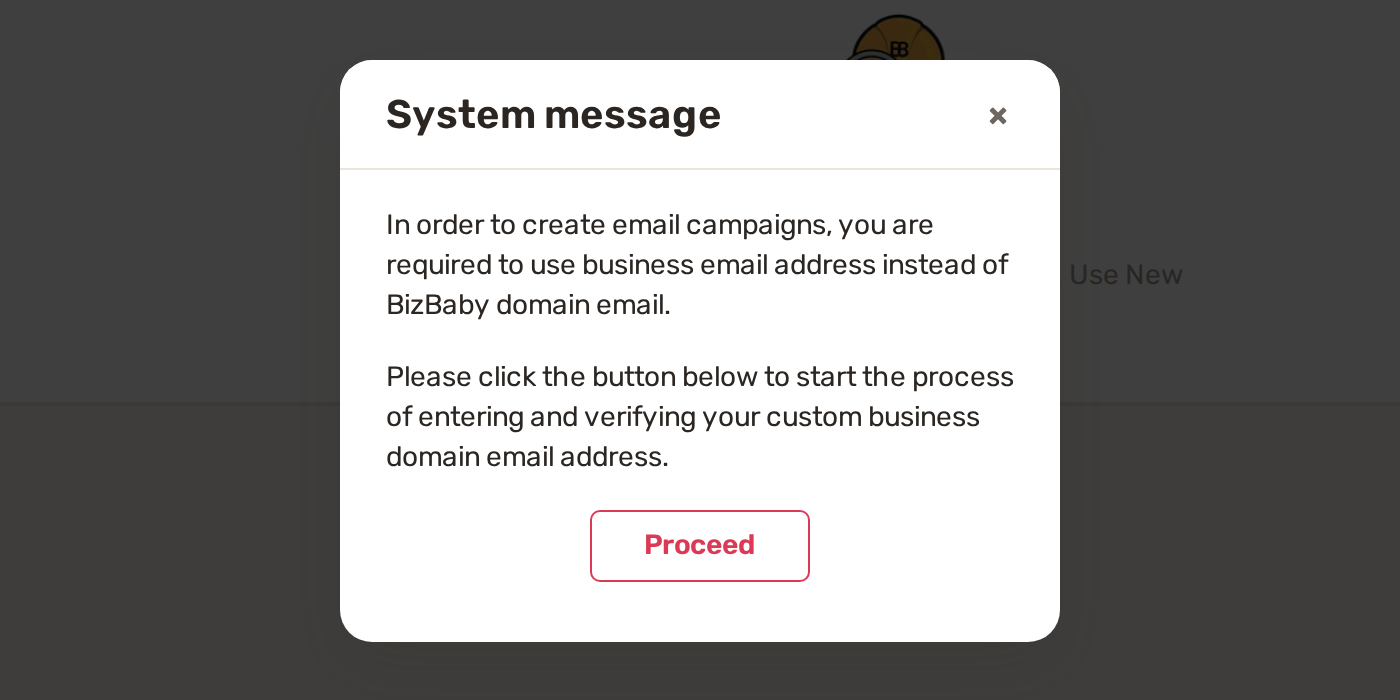
Until your own domain is connected and verified, clicking New Campaign on the Marketing page shows a System message instead of the campaign builder. A BizBaby address works for your quotes, invoices and reminders, but not for campaigns.
Before you start
- You own a domain, and the address you want is on it. Addresses from Gmail, Yahoo, Outlook and BizBaby can't be connected.
- You can sign in to the place that manages your domain's DNS (where you bought the domain, or your website host). If someone else manages it, BizBaby can email them the instructions.
- You're ready for all email to that domain to arrive in BizBaby. If your team reads mail for that domain somewhere else today, that stops when you replace the MX records.
Connect your domain
- Start the setup: go to Marketing, click New Campaign, then Proceed. The Finish communication setup page opens at Business email.
- On Use an email on your domain, type the full address under Business email and click Continue to DNS setup.
- The Connect your domain page lists the DNS records for your domain. Copy each one to your domain host with the Copy buttons (see the records).
- At your domain host, remove your existing MX records and keep only the new one.
- Back in BizBaby, click Verify DNS records.
- On Confirm your email connection, check that the MX record is the only one for your domain, then click Verify connection. BizBaby sends a test letter to your address and checks for it every few seconds.
- When the letter arrives, BizBaby opens the Call & Message Center. Your domain address is now your business email, and New Campaign opens the campaign builder.
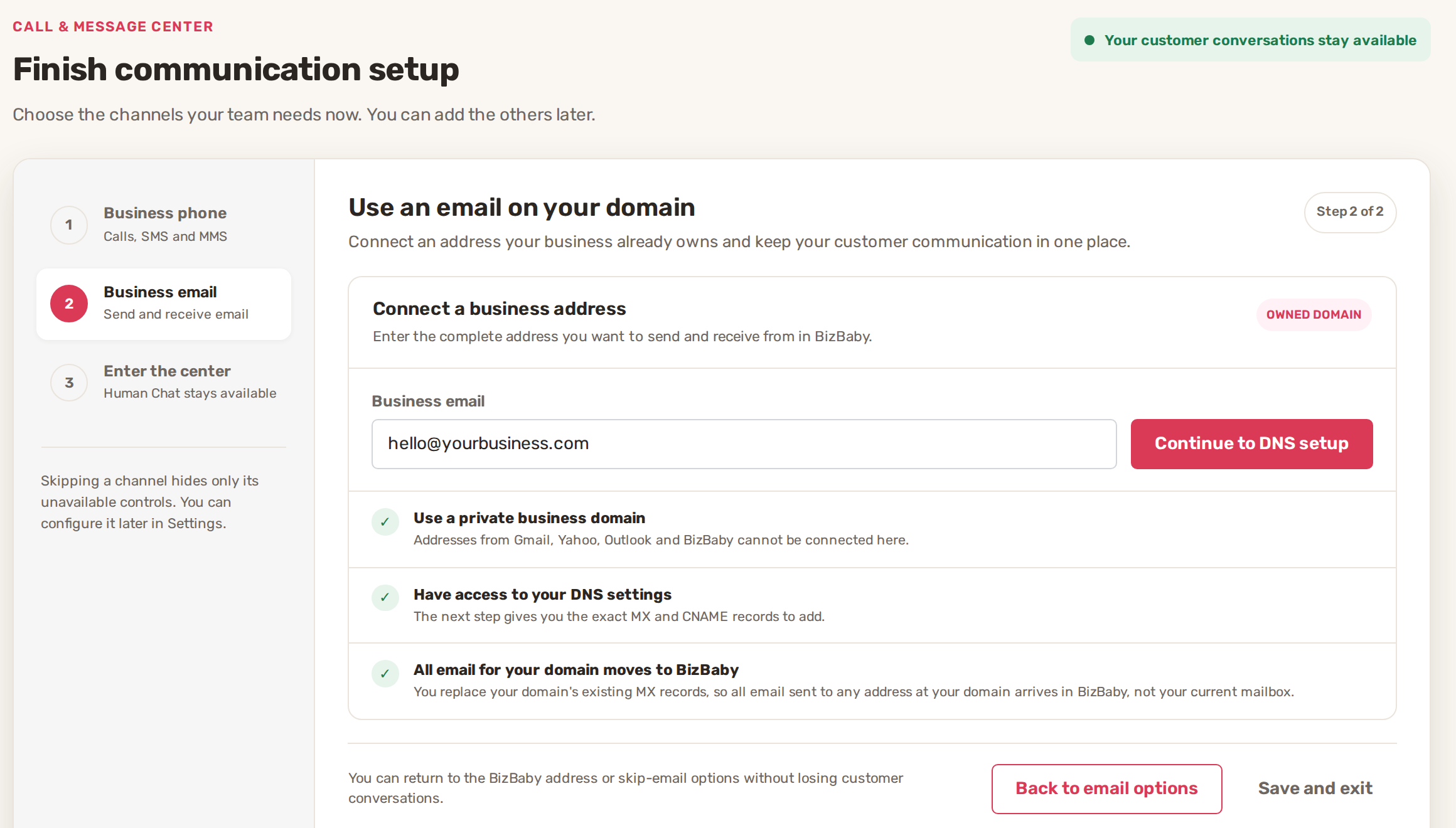
Your setup is saved as you go. Click Save and exit at any step. When you come back, click Continue setup. To start over with another address, click Cancel setup. Your business keeps the email it uses today.
The DNS records
The page shows the exact values for your domain. Add every record exactly as shown.
| Type | What it does |
|---|---|
| MX | Host @ (your domain itself), priority 10, value mx.sendgrid.net. Sends email for your domain to BizBaby. It must be the only MX record. |
| CNAME | Three records, each with its own host and value from the page. They let BizBaby send email for your domain. |
Under Send these instructions to someone else, type their address in Recipient email and click Send instructions. They get the setup guide with your records.
Common problems
- "This address could not be connected". Check the address for typos. Gmail, Yahoo, Outlook and BizBaby addresses can't be used.
- "Records are not verified yet". DNS changes can take a few hours to reach everyone. Check each value against the page, then click Verify DNS records again later.
- "Verification is taking longer than expected". Another MX record is usually still in place. Remove every MX record except mx.sendgrid.net, then click Verify connection again. You can leave the page and come back.
- "DNS records are temporarily unavailable". Your setup is saved. Click Save and exit and come back later.
- "Sender not verified" when you send a campaign. The domain is connected but the sender check didn't finish. Click Create a Ticket in that window, or email support@bizbaby.com.
Related
- Email campaigns: build, send, results
- Set up your email templates and sender details
- Why a customer didn't get an email or text
Was this article useful?
Keep reading
More Marketing
Email campaigns: build, send, results
Before you start Your plan includes email marketing. It's part of the Growth plan. See Plans and what each includes. You...
Read guide →Apply a promo code to your BizBaby plan
Apply a code Click the gear icon at the top right, then the Billing & Plan tab. Click Apply promo code next to Change pl...
Read guide →Knowing what to charge is step one
First 3 months free. No card required. Bring the whole team.
Start Free Trial Back to Login