
Payments
Payouts and fees explained
In this article
Customers pay into your own Stripe account, and Stripe pays that money out to your bank. BizBaby doesn't hold your money and has no payout screen of its own: you see your balance and payouts in your Stripe Dashboard. Fees come out of each payment. Your customer pays the invoice total and nothing extra.
Where your money goes
- A customer pays an invoice, a deposit or an appointment by card or bank.
- The payment lands in the Stripe account you connected in Settings → Integrations.
- Stripe sends it on to the bank account you gave Stripe, on your Stripe payout schedule.
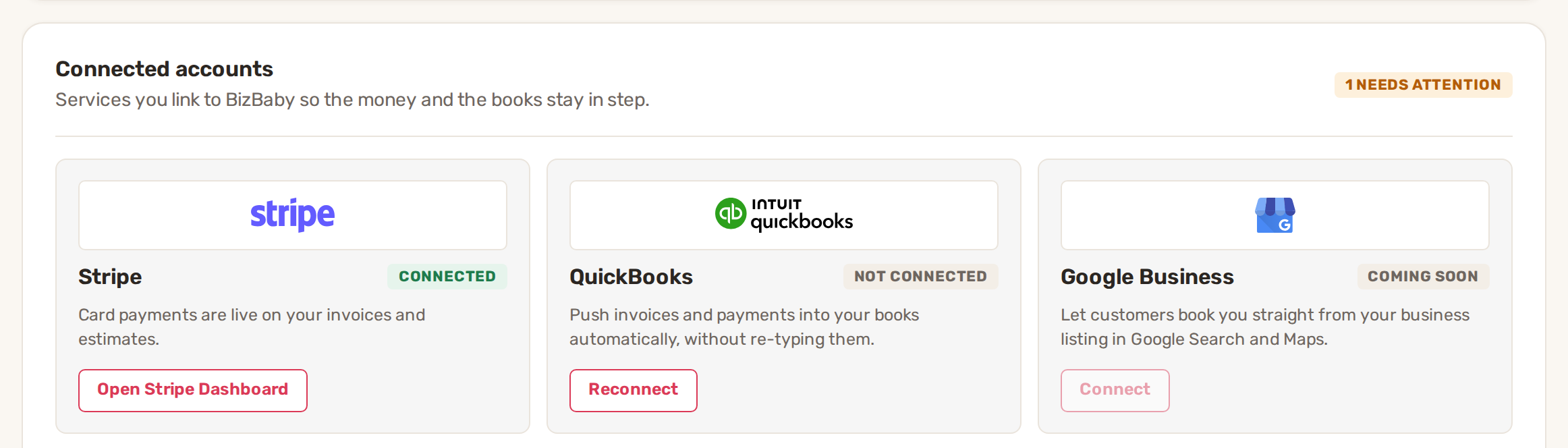
To see your balance, payouts or payout schedule, open Settings → Integrations and click Open Stripe Dashboard on the Stripe tile. It opens Stripe in a new tab. Payout timing and your bank details are managed there, not in BizBaby.
Processing fees
These are the processing rates on BizBaby's pricing page:
| Payment | Essential | Premium and Growth |
|---|---|---|
| Card | 3.1% + 30¢ | 2.9% + 30¢ |
| Bank | 0.8% (max $5) | 0.8% (max $5) |
Stripe takes its processing fee from each payment in your Stripe account. On card payments, any part of your plan's rate above 2.9% is BizBaby's share, and is taken from the same payment. On Premium and Growth that share is zero; on Essential it is 0.2%. Bank payments carry no BizBaby share.
For a $200 card payment on Premium, that's 2.9% of $200 ($5.80) plus 30¢, so $6.10 in fees.
Fees when you refund
When you refund an invoice payment, BizBaby returns its share of the fee for the refunded amount. See Refunds.
Common problems
- A payment is in BizBaby but not in my bank. It's in your Stripe balance waiting for the next payout. Check payouts in your Stripe Dashboard.
- A bank payment shows as pending. Bank payments take longer than cards to clear. See Bank payments and instant bank verification.
- I can't find payouts anywhere in BizBaby. There is no payout screen in BizBaby. Use Open Stripe Dashboard.
Related
Was this article useful?
Keep reading
More Payments
Bank payments and instant bank verification
How customers pay by bank You send an invoice by email or text. The customer opens it in their customer portal. If they...
Read guide →Bill your customers on a subscription
Before you start Connect Stripe. Make sure the service you'll bill for is set to take payment. Only those services can b...
Read guide →Connect Stripe and take card payments
Before you start Have your business details and bank account ready. Stripe asks for them during sign-up. Decide which St...
Read guide →Knowing what to charge is step one
First 3 months free. No card required. Bring the whole team.
Start Free Trial Back to Login