Account and billing
Plans and what each includes
In this article
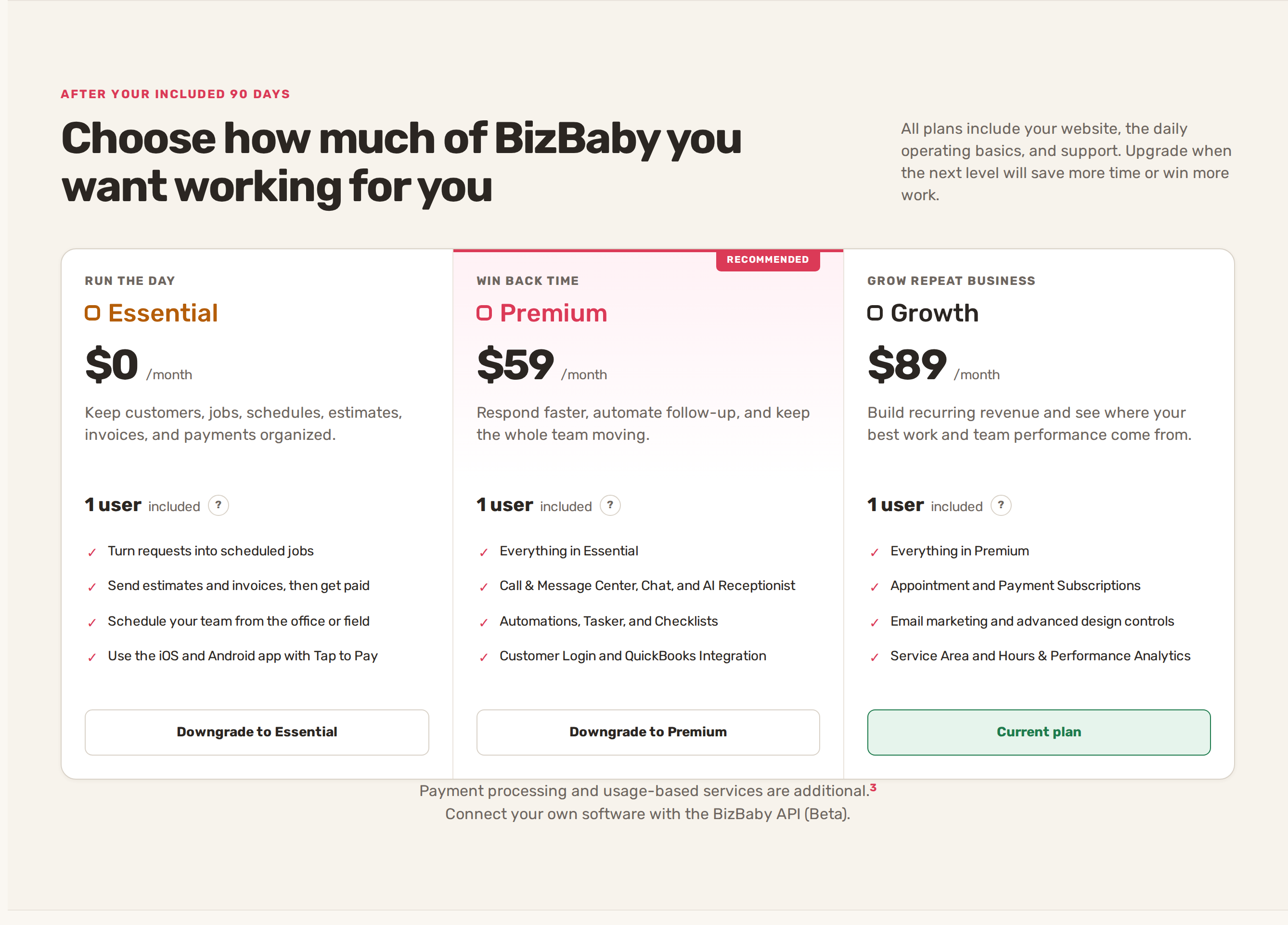
BizBaby has three monthly plans: Essential ($0 a month), Premium ($59 a month) and Growth ($89 a month). Essential runs the day: customers, jobs, scheduling, estimates, invoices and payments. Premium adds the Call & Message Center, AI Receptionist, Automations, Tasker, Checklists, the Customer Portal and QuickBooks. Growth adds subscriptions, email marketing, estimate templates, design controls and analytics. Calls, texts, emails, storage, extra users and card processing are charged by use on top of the plan.
See the plans and your current one
- Click the gear icon at the top right, then Billing & Plan.
- Click Change plan. The plans page opens with your plan marked Current plan.
- Scroll down for the full comparison, section by section, and the usage rates under it.
Your plan's name also shows next to your business name at the top of every page.
What each plan includes
Every plan includes the customer list (CRM), job requests and service appointments, scheduling workers, the Price Book, estimates and invoicing, the iOS and Android app with Tap to Pay, vehicle management, Wingman (Beta), the Website Builder and hosting, and the Request Estimate and Book Appointment forms.
| Feature | Essential | Premium | Growth |
|---|---|---|---|
| Call & Message Center | No | Yes | Yes |
| Chat with customers | No | Yes | Yes |
| AI Receptionist | No | Yes | Yes |
| Automations and follow-ups | No | Yes | Yes |
| Tasker and Checklists | No | Yes | Yes |
| Advanced Service Hours | No | Yes | Yes |
| Customer Portal | No | Yes | Yes |
| Customer Login on your website | No | Yes | Yes |
| Quick Request and Contact Form | No | Yes | Yes |
| QuickBooks Integration | No | Yes | Yes |
| Estimate templates | No | No | Yes |
| Appointment and Payment Subscriptions | No | No | Yes |
| Email marketing | No | No | Yes |
| Website and form design controls | No | No | Yes |
| Customer Portal design | No | No | Yes |
| Analytics | No | No | Hours & Performance, Service Area reports |
| Editable website pages | 1 included | 5 included | 10 included |
| Storage | 2 GB included | 5 GB included | 10 GB included |
| Included users | 1 | 1 | 1 |
The owner counts as the one included user. Each extra team member is a paid seat. On Essential and Premium, your forms show a small "Powered by BizBaby" line; Growth removes it.
What costs extra on each plan
| Charge | Essential | Premium | Growth |
|---|---|---|---|
| Extra user | $10 a month | $15 a month | $25 a month |
| Storage over the allowance | $0.25 per GB a month | $0.25 per GB a month | $0.25 per GB a month |
| Website page over the allowance | $5 a month | $3 a month | $1 a month |
| Calls | Not available | $0.030 a minute | $0.025 a minute |
| Texts (SMS) | Not available | $0.002 a segment | $0.0015 a segment |
| Picture messages (MMS) | Not available | $0.03 a message | $0.025 a message |
| Emails to customers | $0.0007 a recipient | $0.0007 a recipient | $0.0005 a recipient |
| Email marketing | Not available | Not available | $1 per 1,000 recipients |
| AI Receptionist | Not available | About $0.11 a minute, under half a cent a reply | About $0.11 a minute, under half a cent a reply |
| Website Builder AI | Generation charge + 25% | Generation charge + 25% | Generation charge + 25% |
| Card payments | 3.1% + 30¢ | 2.9% + 30¢ | 2.9% + 30¢ |
| Bank payments | 0.8% (max $5) | 0.8% (max $5) | 0.8% (max $5) |
Chat with signed-in customers has no per-message charge. Wingman is free while it is in Beta. A long text can be more than one segment. How these charges reach your bill is in Usage charges and your monthly bill.
The included 90 days
A paid plan's first 90 days are included. During that time Billing & Plan shows the plan as Included with $0 a month and the date it ends. What happens next depends on the plan card:
- If it says the plan continues at its monthly price, it renews on that date and the card on file is charged.
- If it says your business moves to Essential, click Keep and the plan name (for example Keep Growth after Jan 10) to stay on it. Nothing is charged before the end date, but you need a working card first. If you do nothing, the business moves to Essential and the features Essential doesn't include turn off.
When a feature is locked
A menu item or tab your plan doesn't include is greyed out or missing. Check the comparison above to see which plan has it, then upgrade from Billing & Plan → Change plan. An upgrade starts as soon as you confirm it.
BizBaby saves your plan's features and prices when you choose it. If the public prices change later, your business keeps the terms it chose until you change plan.
Related
- Change plan, cancel, payment method and invoices
- Usage charges and your monthly bill
- Add your team and permissions
Was this article useful?
Keep reading
More Account and billing
Change plan, cancel, payment method and invoices
Your Billing & Plan page Only people who can open your business settings see this page. It shows your Current plan and i...
Read guide →Two-step sign-in and account security
Verify your phone The first time you sign in, BizBaby shows Phone verification: "To keep your account safe, we need to v...
Read guide →Switch between businesses
Switch from the top of the page Click the small arrow to the right of your business name and plan at the top left. Click...
Read guide →Knowing what to charge is step one
First 3 months free. No card required. Bring the whole team.
Start Free Trial Back to Login